![[personal profile]](https://www.dreamwidth.org/img/silk/identity/user.png)
As a fan of Ten and his outfit of course it was only a matter of time until I would turn it into a layout. The idea didn't take too long, neither did starting the layout. It was one of the unlucky layouts that just sat around and collected dust for a few years. But finally it's done, yay!
Edit (May 26, 2016): Profile layout edited, because cellpadding & -spacing aren't supported in HTML5.
Edit (May 26, 2016): Profile layout edited, because cellpadding & -spacing aren't supported in HTML5.
| Pinstripes and Converse | |
| preview | 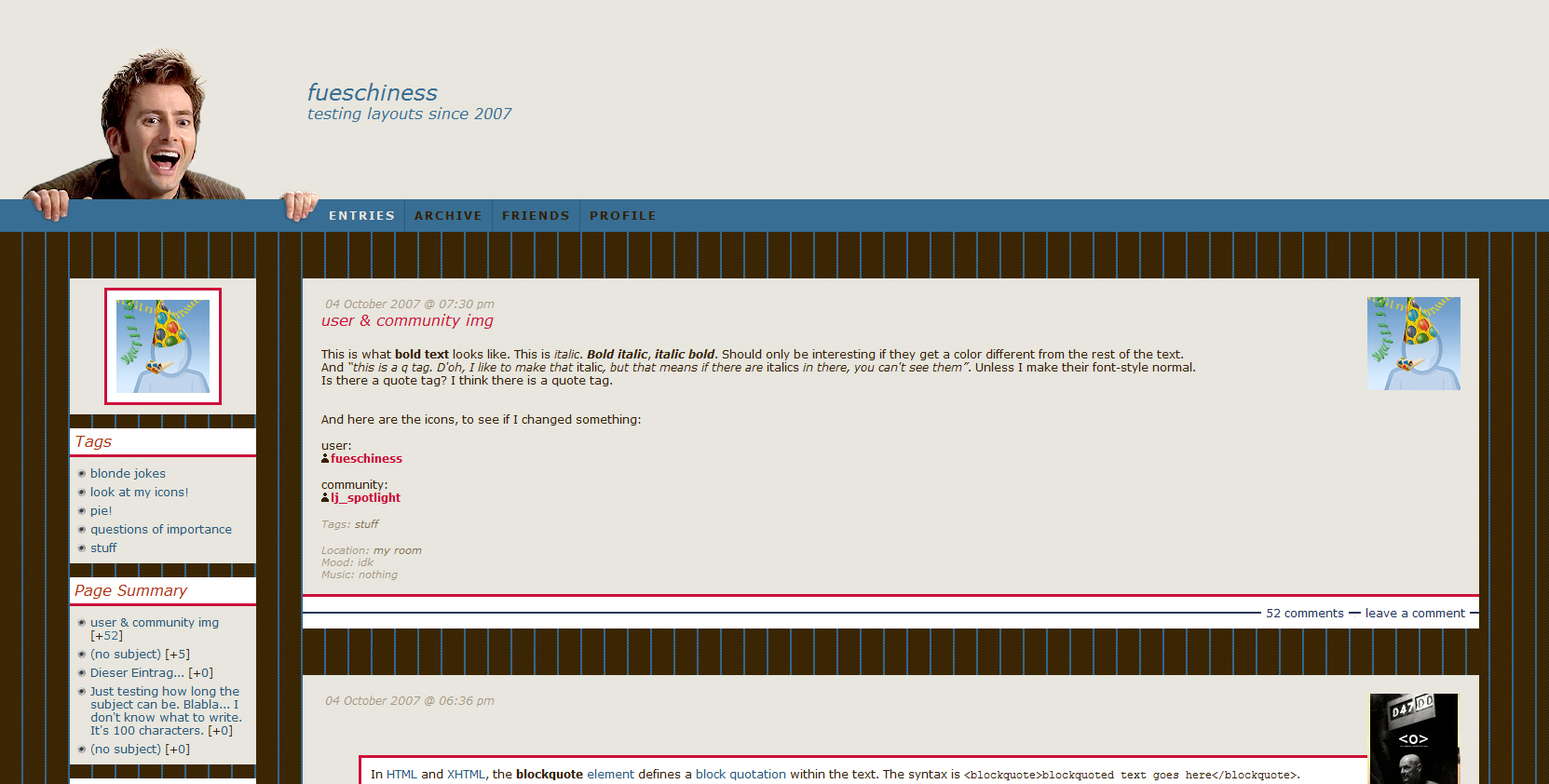 Click here for live preview, then click on the layout's icon. |
| layout info | Based on Flexible Squares. Works for all account types. Tested in Firefox 7, Google Chrome 14 and Internet Explorer 8 (IE doesn’t display the comments links correctly, but luckily that's all). Sidebar width and maincontent width are flexible. |
| how to implement this layout | Go to the Customize Journal page. Make sure Style System is S2. Choose the Flexible Squares layout. Go to Custom CSS » Use layout's stylesheet(s): No » Use layout's stylesheet(s) when including custom external stylesheet: No » Use external stylesheets: No insert custom stylesheet |
| This profile layout's width is flexible. Just don't make it narrower than 439px. Go to Edit Profile and insert the code into the Bio part. To copy the code, click in the text area and then press Ctrl+A and Ctrl+C. You don't have to use the lj-raw tags. With them you can only make line breaks/new paragraphs with <br> and <p>. Without the lj-raw tags you can also create line breaks and new paragraphs just by hitting the enter key. If you want to change the link color, put a font tag with a different color in your link. Like so: <a href="URL"><font color="#CC1039">LINK TEXT</font></a> |
|||||
31 comments | Leave a comment