08 December 2011 @ 08:21 pm
The Wall Had It Coming layout  
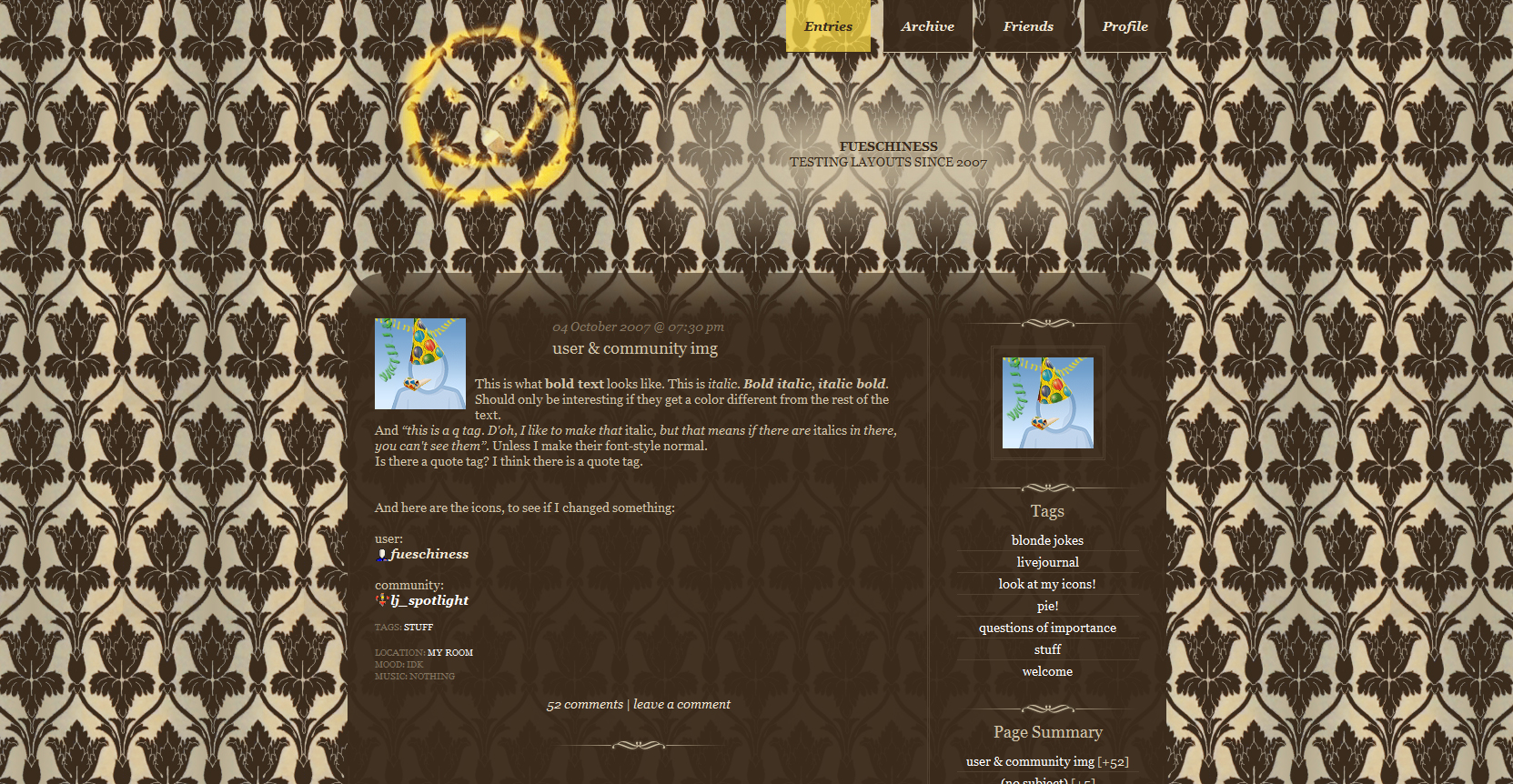
I finally did it! I took a screenshot of the wallpaper and turned it into a tileable background. And the result is better than I expected it to be, woot! If you just want the background, take it. Maybe credit. But if you take the whole layout, you get the holey smily smiling at you!

The Wall Had It Coming
preview

Click here for live preview, then click on the layout's icon.

layout info Based on Flexible Squares.
Works for all account types.
Tested in Firefox 7, Google Chrome 14 and Internet Explorer 8.

The content width is fixed, but maincontent and sidebar are flexible.
how to implement this layout Go to the Customize Journal page.

Make sure Style System is S2.

Choose the Flexible Squares layout.

Go to Custom CSS
» Use layout's stylesheet(s): No
» Use layout's stylesheet(s) when including custom external stylesheet: No
» Use external stylesheets: No

insert custom stylesheet


ETA: Now also with beige content background!


This profile layout's width is flexible. Minimum width is 423px.

You can use http://fatfrog.info/Ma/A/layout/wallhaditcoming/separator.png as a divider.


Go to Edit Profile and insert the code into the Bio part.
To copy the code, click in the text area and then press Ctrl+A and Ctrl+C.


You don't have to use the lj-raw tags. With them you can only make line breaks/new paragraphs with <br> and <p>. Without the lj-raw tags you can also create line breaks and new paragraphs just by hitting the enter key.

If you want to change the link color, put a font tag with a different color in your link. Like so:
<a href="URL"><font color="#FFFFFF">LINK TEXT</font></a>


( Post a new comment )
Ateana: scenery-castle in the clouds[personal profile] oceanandspace on July 20th, 2012 10:43 am (UTC)
I love this layout! and the fact that you made the profile layout available as well ^^

Though I've got one problem with the profile layout. The links turn up the classic color, meaning blue for links and purple for visited links, which doesn't suit the layout at all. I've tried tweaking the layout to match the links attribute to those of the journal layout, but I can't seem to find the way to do it. (body tags don't work and I don't know enough about CSS to try it).

Help?

:D
fuesch: Sherlock[personal profile] fuesch on July 20th, 2012 11:40 am (UTC)
CSS doesn't work on the profile :o/. I could make a beige background for the profile layout, if you want.
Ateana: scenery-castle in the clouds[personal profile] oceanandspace on July 20th, 2012 12:41 pm (UTC)
It wouldn't help much >_< I'd still have bright blue/purple link over a beige background, which isn't exactly great ;)

I'm trying to change the link's individual colour with:
<a style="color:#EFE5D0" href="URL">

but it doesn't work... This is really annoying. I thought there was a way to change the link's colours with html, even in the profile.

Edited 2012-07-20 12:48 pm (UTC)
fuesch[personal profile] fuesch on July 20th, 2012 01:16 pm (UTC)
But that's still CSS, so it doesn't work there.

I'm trying to think of a way to at least add a background color with an HTML element, but right now I can't think of anything but a table (which wouldn't work since there's an automatic linebreak after that).
Ateana: scenery-castle in the clouds[personal profile] oceanandspace on July 20th, 2012 01:17 pm (UTC)
So, I've managed to fiddle with the <font tag until I got the words in the colour I wanted. Took some work and quite a few tags, but it looks decent now :D

Except for the <lj-user name which is still bright blue... Working on that now ^^
fuesch[personal profile] fuesch on July 20th, 2012 01:19 pm (UTC)
No, wait! I'm stupid. A table would work. You'd just have to put the the background in a cell, not the whole table, and then put the text before/after the link in another, backgroundless cell.

Ooh, how did you get that to work? Well, you could just post the username as a normal link.
Ateana[personal profile] oceanandspace on July 20th, 2012 01:27 pm (UTC)
I don't know enough about tables to follow what you're saying, but I made it work with html :)

Here's the link to what I did:
http://anyssia.livejournal.com/profile

and here's the full code for the section with links:


Edited 2012-07-20 01:28 pm (UTC)
fuesch[personal profile] fuesch on July 20th, 2012 01:32 pm (UTC)
Ah, clever!
Ateana[personal profile] oceanandspace on July 20th, 2012 01:35 pm (UTC)
Thanks ^^ Lots of work for just a few lines, but it works ;) Forced me to review my old HTML knowledge as well xD

Anyway, thanks again for the lovely layout! ♥